

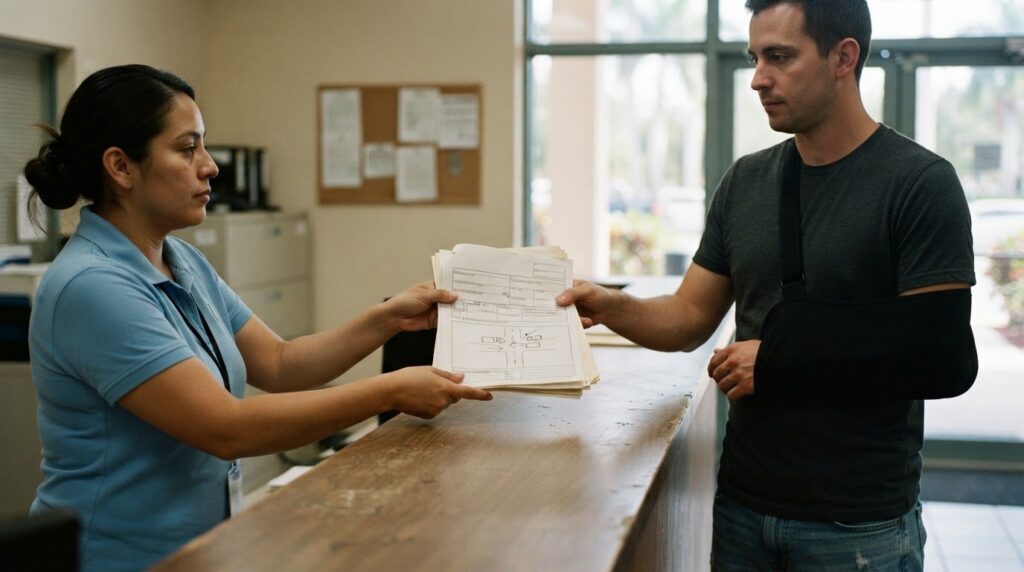

The report you need may not be ready as soon as you request it. To get a police report in Broward County, first identify the agency that handled the incident and determine whether you need a crash report. Filing a crash report and requesting a copy are separate processes.
It’s understandable to want a clear deadline and a straightforward way to obtain a record. For qualifying crashes, Florida Statute §316.066 requires drivers to ensure a Florida Traffic Crash Report, Long Form, is submitted to the Florida Department of Highway Safety and Motor Vehicles within 10 days. That filing requirement does not determine when an agency completes or releases its report.
This guide explains how to identify the right process, submit a records request, and understand what may affect access. You’ll also learn how to track an online submission and what to do if an injury makes the report important to your next steps.
Key Takeaways
- Identify the agency that handled the incident before submitting a records request, since the process depends on where the report is held.
- Include the case number if available, along with the incident date, time, location, and names of the people involved.
- According to the Florida Legislature, crash reports held by an agency may be available 60 days after filing to people or entities eligible to access them.
- An in-person Broward Sheriff’s Office accident report request enters the Public Records Unit work queue, and the report is emailed rather than provided during the visit.
- If an incident involved an injury caused by police misconduct, consider whether legal support may help. Call Now: (954) 390-2228 Available 24 Hours a Day, 7 Days a Week
Need Help Filing a Police Report in Florida?
Start by matching the report type and incident location to the right agency. A crash report documents a traffic collision; an incident report covers another event reported to law enforcement. To get a crash report, determine whether you need to report a new collision or request a copy of an existing report. Access depends on the report type and the agency that handled the incident.
Eligibility varies by online reporting system. Some records may also have access restrictions, so follow the agency’s process for the specific report you need.
-
Check Online Reporting Eligibility
Check whether the incident fits the local police department’s online reporting categories. You must be at least 18, the incident must have occurred within the department’s city limits, and online reports are available only when there are no known suspects. The department accepts lost-property reports only when the property value is less than $3,000. Other listed categories have limits for damage and theft.
If the incident doesn’t fit an online category, call the local police department’s non-emergency line at 954-764-4357 for reporting guidance. Complete every required field, including the choice about whether to invoke rights under Marsy’s Law. Leaving that choice blank can lead to rejection and a required revision. Report emergencies by calling 911.
-
Identify the Correct Department
Use the incident address to identify the agency responsible for that location before submitting a request. Florida locations may be served by different law enforcement agencies, so the state alone won’t tell you which department to contact. For an incident in Florida, review the local police department’s reporting options. For another location, identify the agency serving that address.
Keep the street address or nearest intersection handy when contacting an agency. If you’re unsure which department serves the location, use its non-emergency contact channel for guidance. Don’t submit a report through a local online system if the incident happened outside the agency’s jurisdiction. Start with the agency responsible for that location.
-
Distinguish Crash and Incident Reports
Choose the report type that matches what happened. A crash report concerns a traffic collision; an incident report documents another event reported to law enforcement, such as lost property or suspected theft. The distinction matters because reporting options and records-request processes can differ.
For example, a vehicle collision calls for the crash-report process, while lost property may fit an online incident-report category if it meets the department’s rules. Describe the event accurately. If a collision involved another reported event, ask the investigating agency which record or records to request.
-
Check Crash-Report Availability
Determine whether you need to report a new collision or request an existing crash report. The local sheriff’s office website does not provide a public portal for directly filing police or accident reports. You may be able to request a crash report through an online records portal, but that is separate from filing a new report about a collision.
For a crash investigation, allow time for the report to be completed before requesting a copy. The investigation and report may take up to 14 days, depending on collision severity. Keep the crash date, location, and case number if available, then use the appropriate records-request channel.
-
Submit an Online Tip When You Have Information
Use the appropriate crime-tip channel if you have information about an offense but aren’t filing a report about your own incident. The local Crime Stoppers accepts telephone tips at 954-493-8477, 24 hours a day, 7 days a week. Share clear details, such as the location and what you observed, and separate firsthand observations from assumptions.
A tip doesn’t replace an emergency call or an official police report. Call 911 for an emergency. For an incident that needs a formal report, follow the correct agency’s process and provide accurate information. Filing a false police report is a crime.
Crash-report investigation and processing time
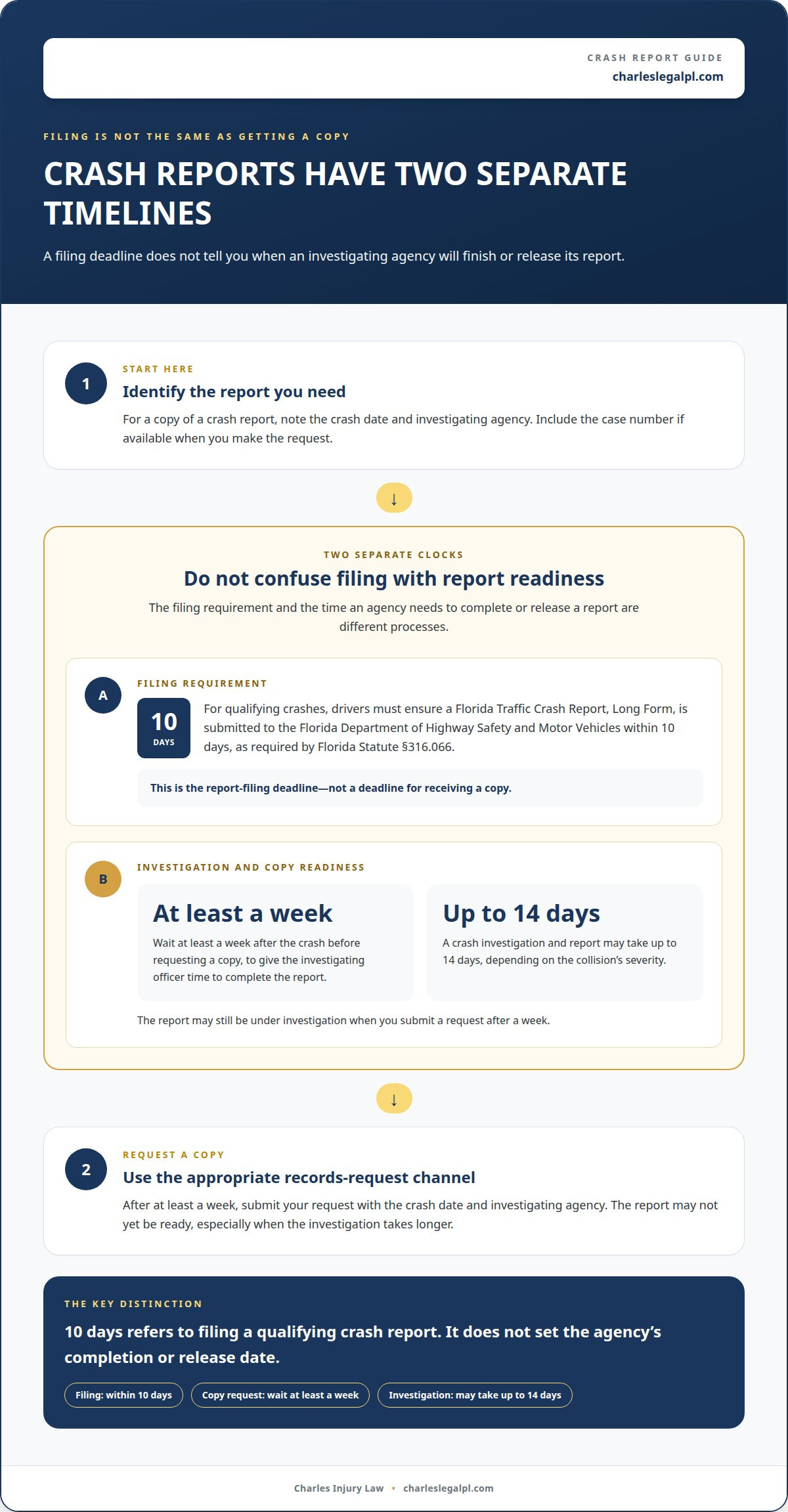
- Separate the filing deadline from the copy timeline. Florida Statute §316.066 requires drivers involved in qualifying crashes to ensure a Florida Traffic Crash Report, Long Form, is submitted to the Florida Department of Highway Safety and Motor Vehicles within 10 days. That deadline concerns filing the report, not when an investigating agency completes its investigation or provides a copy. Treat these as separate steps.
- Allow time for the investigating officer to finish. Wait at least a week after a crash before requesting the report. This gives the investigating officer time to complete it. If you request it sooner, the record may not be ready. This waiting guidance concerns getting a copy; it doesn’t replace Florida’s filing deadline.
- Factor in the collision’s severity. A Broward Sheriff’s Office crash investigation and report may take up to 14 days, depending on the collision’s severity. The time involved can vary with the investigation. For a more serious crash, account for the longer possible processing period before expecting the completed report.
- Plan your request around the investigation. Note the crash date and investigating agency, then use those details when requesting the record. After at least a week, you can submit a request, although the report may still be under investigation. For incidents investigated by the Broward Sheriff’s Office, the process may take up to 14 days, depending on severity.
- Keep filing and record retrieval distinct. For a qualifying crash, address the Florida Traffic Crash Report, Long Form, submission requirement within 10 days. Separately, give the investigating agency time to complete its report before seeking a copy. One step involves submitting crash information; the other involves obtaining an agency record.
If an injury from a crash raises questions about your next steps, contact the firm about your situation.
Submitting a report and receiving a copy
Choose a request channel offered by the agency holding the record, then provide enough incident details to identify it. A crash-report request may also require proof that you’re eligible to receive the record.
-
Choose a Request Method
Start with the agency’s records process. Broward County public records requests may be submitted by phone, in person, by mail, or by email. The Broward Sheriff’s Office also accepts report requests through an online portal. These methods are for obtaining an existing record, not filing a new police or accident report.
For an in-person accident report request, the Broward Sheriff’s Office enters it into the Public Records Unit work queue and emails the report later. The office does not provide the report during the visit. Its lobby and Public Records Office are open Monday through Thursday, 8:30 a.m. to 4:00 p.m. Written requests can be mailed to the Public Records Unit, P.O. Box 9507, Florida 33310.
-
Submit the Report Request
Gather identifying details before submitting your request. Include the case number if available, the accident date, time, and location, and the names of people involved. These details help records staff find the correct report and distinguish it from other incidents. If you’re requesting an accident report, follow the agency’s instructions for your chosen request method.
Accident-report requests may require documentation confirming the requester’s eligibility to receive the report. Under Florida law, crash reports held by an agency may be made available 60 days after filing to people or entities eligible to access them, according to the Florida Legislature. Eligibility and timing matter, so submitting a request does not mean every requester can receive a report immediately.
For accessibility issues with an accident-report request, call the Broward Sheriff’s Office at 954-831-8700. If you need a police department online incident report, the approved report is emailed free. A Broward Sheriff’s Office accident-record request may involve a small fee, payable only by check or money order.
There isn’t one price for every Broward County police report. An approved police department online report is free, while the Broward Sheriff’s Office may charge a small fee for accident records. Follow the payment instructions for the specific record and request method.
To request a report in Broward County, identify the agency that holds it, choose an available submission method, and provide the incident details. For an accident report, include the notarized Sworn Crash Affidavit and follow the agency’s access and payment requirements.
Temporary case numbers and report approval
After submitting an online report, distinguish the temporary case number from the approved report. Use the number to identify your submission while the police department reviews it.
- Save the temporary case number. After you submit a report online, the police department provides a temporary police report case number until final approval. Keep it with your incident notes. The number helps identify your submission if you need to follow up or clarify which report you mean.
Record the number accurately, including every letter or digit shown. Don’t confuse a temporary submission number with another incident’s case number. The temporary number confirms that you submitted a report; it is not the final approved report.
- Keep your submission details together. Save the submission date, incident location, and temporary case number in one place. These details help the police department identify your report if you need to ask about its status.
If you reported lost property, keep a clear description of the property and its reported value. Matching those details to the submitted information can help you explain which report needs attention. Don’t submit a duplicate just because approval hasn’t arrived yet.
- Wait for the department’s approval notice. A temporary case number remains temporary until the police department approves the online report. After approval, the department emails a free copy. Check the email account you used to submit the report, and keep the message with your case number.
Approval marks the transition from a submitted online report to an approved report copy. If you receive only the temporary number, keep it along with your submission details. The number alone is not a copy of the approved police report.
- Follow up using precise identifiers. If you need to contact the police department about a pending submission, provide the temporary case number and incident details. State the incident date and location clearly to help staff distinguish your report from other submissions.
For example, say that you submitted an online report about lost property at a particular location, then provide its temporary number. Don’t describe the submission as approved unless you received the department’s approval and report copy. This keeps your follow-up focused on the report’s actual status.
- Use the final copy as the approved record. Once the police department emails the approved report, save the message and attachment. Keep the temporary case number with the final copy so the submission and approved record stay connected.
If the email hasn’t arrived, use the temporary number when seeking status information. The number identifies the online submission; the emailed copy is the approved report. Keeping both records organized makes it easier to find the right document later.
Broward County public records access
Broward County public records include more than police reports. Identify the agency holding the record, then submit a focused request through an available channel.
- Identify the agency that holds the record. Start with the subject of the record and the agency involved. A police report generally belongs to the law enforcement agency that created or maintains it. If the record concerns a county service rather than an incident, direct your request to the Broward County agency responsible for that service.
A request sent to the wrong agency may not locate the record. Before submitting, use the incident location, agency name, and report type to narrow your request.
- Choose how to submit your public records request. You may submit a request to a Broward County agency by phone, in person, by mail, or by email. Choose a channel suited to the record and include enough detail to identify it. Many Broward County public records are available online for free, so search the county’s available records before requesting a copy.
Public access doesn’t mean every record is posted online. If you can’t find the record online, contact the agency that holds it and request to inspect or obtain a copy.
- Make the request specific. Name the record you seek and provide useful identifying details, such as the incident date, location, names of people involved, or case number if available. For example, request the police report for a particular incident instead of asking for every record on a broad subject.
A focused request helps the agency identify the right records. Broward County public records must be open for inspection, examination, or copying at all times. You can ask to inspect a record or request a copy.
- Track the request with the agency. Keep a copy of your request and note how you submitted it. If you haven’t received a response, contact the same Broward County agency with the request date, record description, and any case number. These details help staff locate your inquiry and explain its status.
If an agency denies access, ask which record or portion was withheld, why, and what review process applies. The information here does not establish one appeal procedure for every Broward County agency, so ask the agency handling your request about next steps.
- Separate public access from eligibility limits. A record held by an agency isn’t automatically available to every requester right away. Crash-report access may have separate eligibility and timing requirements. For other records, ask the relevant Broward County agency whether a restriction applies to the specific document you requested.
If the records relate to an injury involving police conduct, discuss the incident and its records with a legal professional.
Personal Injury Attorney: Injuries suffered due to Police Misconduct or Brutality
Personal Injury Attorney in Fort Lauderdale represents people injured through police misconduct or brutality. If an encounter caused physical harm, a police report may be one part of documenting what happened. The report itself does not resolve questions about responsibility or an injury claim.
Keep copies of relevant records and note how the incident affected you. Personal Injury Attorney in Fort Lauderdale handles injuries involving police misconduct or brutality. The firm also represents people injured in car, truck, and Uber or Lyft rideshare accidents. If your concern is only obtaining a public record, follow the agency’s request process. If you were injured and want to discuss possible legal representation, contact Personal Injury Attorney in Fort Lauderdale.
Take the Next Step With Your Records
A police report can help preserve an account of an incident, but your next step depends on why you need it. If you’re still figuring out how to get a police report in Broward County, follow the agency’s process for the record you need. If you were injured, keep your records organized and consider whether you need legal guidance about what happened.
Charles Injury Law represents people injured in car accidents, truck and tractor-trailer accidents, and Uber or Lyft rideshare accidents. The firm also handles cases involving injuries caused by police misconduct or brutality. Direct attorney access and trial-prepared representation can help you address questions about accountability while focusing on your recovery.
Reach out to Charles Injury Law to discuss an injury connected to your incident. You can also call: (954) 390-2228 Available 24 Hours a Day, 7 Days a Week. Take the next step at your pace, with clear information and support.
Frequently Asked Questions
How Long Do You Have To File A Police Report After An Incident?
Report an incident promptly, and call 911 if it’s an emergency. There isn’t one filing deadline for every type of police report. For qualifying crashes, Florida Statute §316.066 requires drivers to ensure a Florida Traffic Crash Report, Long Form, is submitted to the Florida Department of Highway Safety and Motor Vehicles within 10 days. That crash-report requirement doesn’t set a deadline for every other incident report. This information is general and isn’t legal advice.
What Do I Need to Know to Request an Accident Report?
Prepare the crash details and confirm you’re eligible to receive the report. Include the case number if available, the crash date, time and location, and the names of people involved. Check the agency’s requirements and be prepared to confirm your eligibility when requesting an accident report. Under Florida law, eligible people or entities may access agency-held crash reports 60 days after filing, according to the Florida Legislature.
What information do I need to request a police report in Broward County?
The practical answer to how to get a police report in Broward County is to identify the agency that holds it and provide details that distinguish the incident. Include the date and location, the names of people involved, and the case number if available. For example, provide the specific intersection, not just the general area. These details help the agency find the record you need.
How long does it take to get a police report from Broward County?
The time depends on the agency, report type, investigation, and approval process. If you’re deciding how to get a police report in Broward County after a crash, allow time for the report to be completed. A Broward Sheriff’s Office crash investigation and report may take up to 14 days, depending on collision severity. Fort Lauderdale Police Department online reports are emailed after approval, and crash-report access can have separate eligibility and timing rules.
Disclaimer
The information provided on this blog is for general informational purposes only and does not constitute legal advice. Viewing this content does not create an attorney-client relationship with the firm. You should not act or rely on any information contained herein without seeking legal advice from a qualified attorney regarding your individual situation.